What size should a QR code be for print?
Aggiornato il 20 settembre 20267 min di lettura
Articolo in inglese
Questa guida non è ancora tradotta nella tua lingua: stai leggendo la versione inglese.
Print is unforgiving: once 5,000 flyers leave the press, a code that is two millimetres too small stays too small. The good news is that the size question has a reliable answer, and you can check yours in about a minute before anything goes to the printer.
Start with the 10:1 distance rule
A printed QR code needs roughly one tenth of the distance it will be scanned from. A code read at 30 cm — a menu, a flyer in someone's hand — needs about 30 mm of width. A poster read from three metres away needs 300 mm. The rule holds across phone models because it describes how many camera pixels land on each module of the grid, not the brand of the camera.
| Reading distance | Minimum width | Safe width | Typical media |
|---|---|---|---|
| 10 cm | 10 mm | 15 mm | Business card, product label, hang tag |
| 30 cm | 30 mm | 40 mm | Menu, flyer, packaging panel, book page |
| 1 m | 100 mm | 120 mm | Shop window, shelf talker, A4 poster |
| 3 m | 300 mm | 350 mm | Wall poster, trade-show panel, vehicle door |
| 10 m | 1000 mm | 1200 mm | Billboard, building banner, stadium board |
Then check how much data you are encoding
The rule above assumes a short payload. Every extra character adds modules to the grid, and more modules in the same physical width means each module gets smaller. A 40-character link at 30 mm is comfortable; the same 30 mm holding a 160-character link with UTM parameters is a gamble.
Our free checker does both calculations at once. Paste the exact payload, enter the printed width you have in the layout and the distance people will scan from.
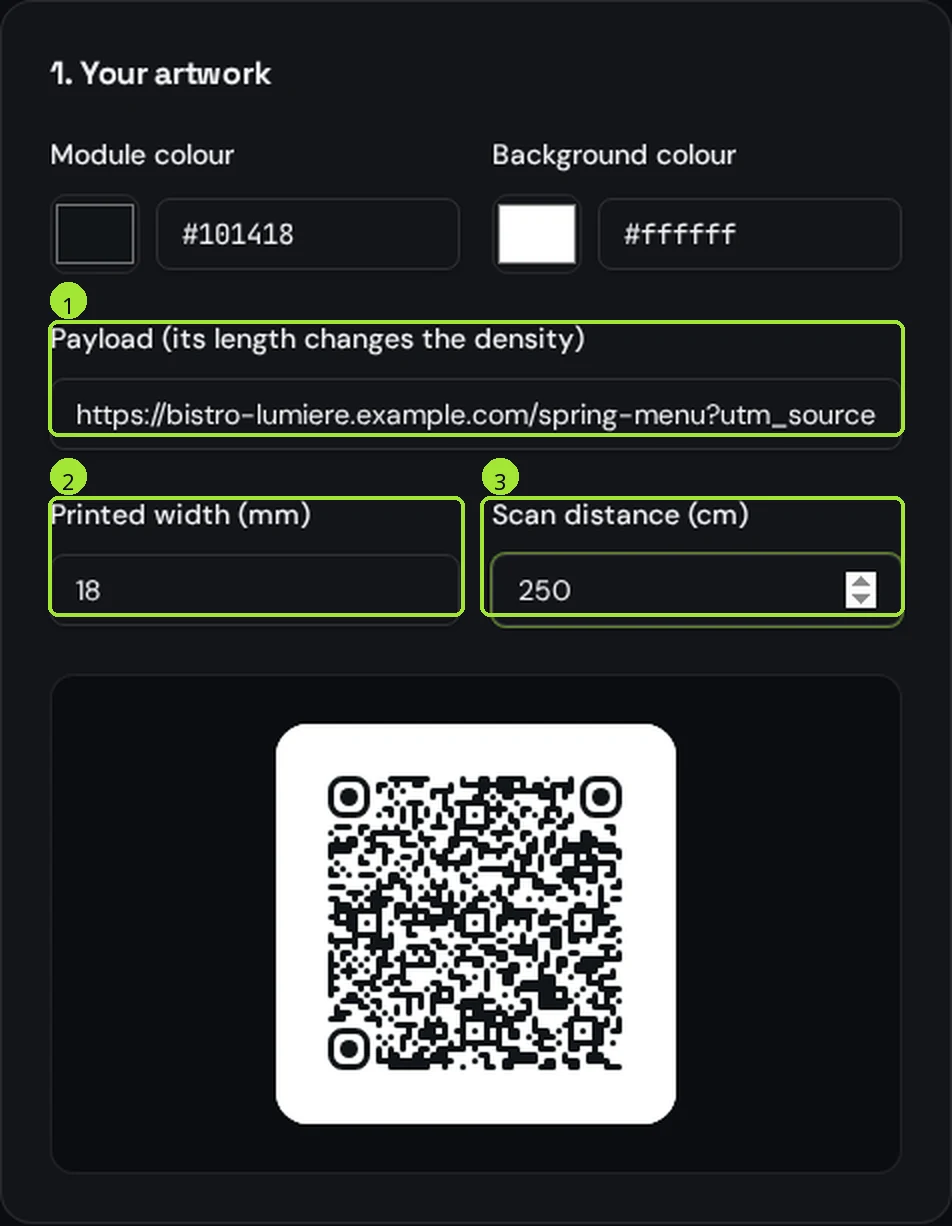
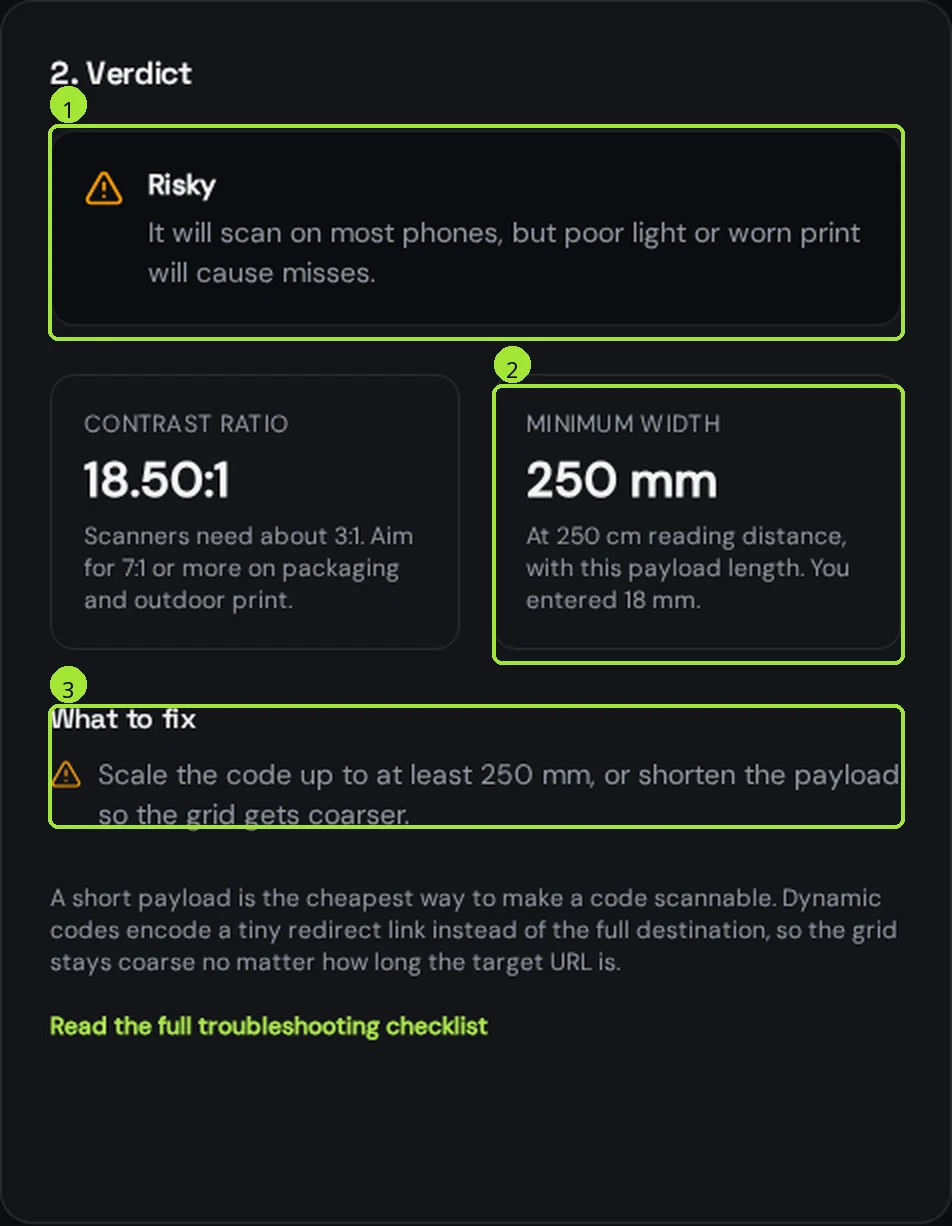
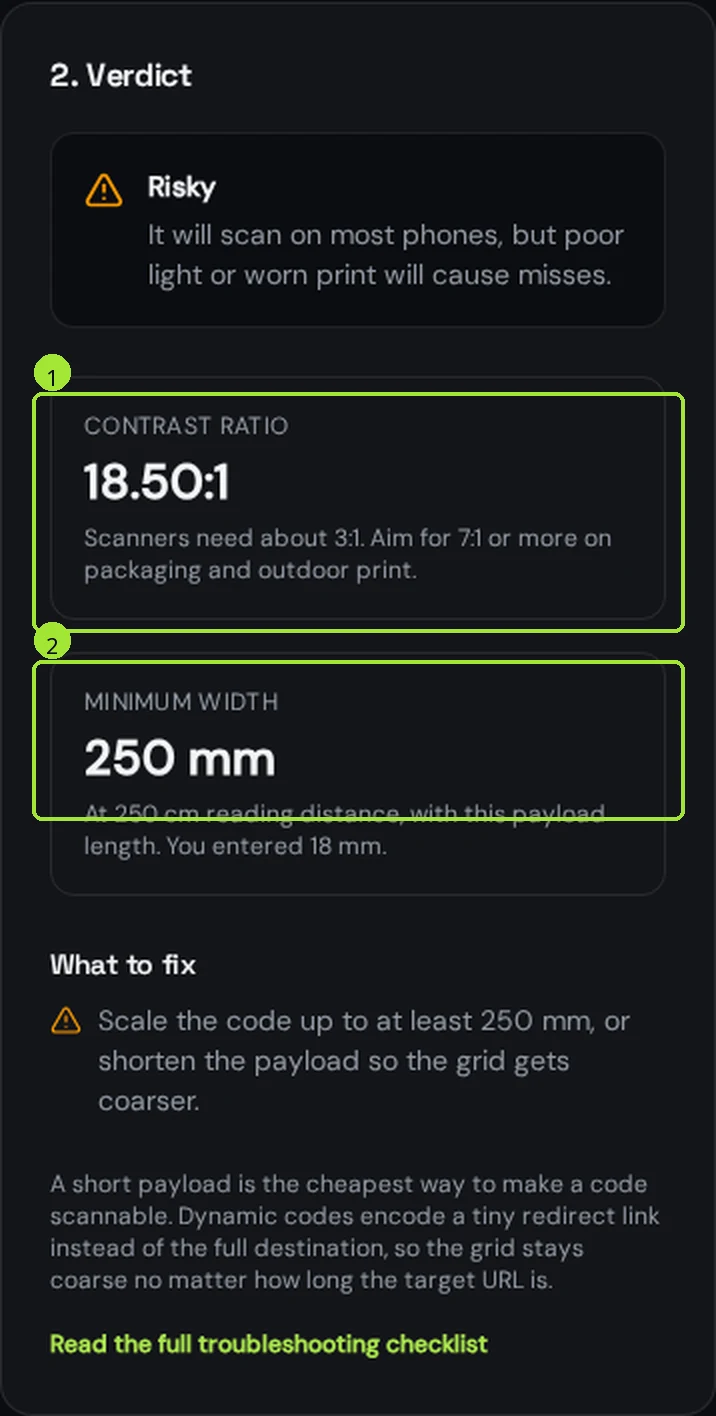
The verdict panel turns those three numbers into one decision. In the capture below, a 120-character tracked link printed at 18 mm and read from 2.5 m needs 250 mm — it would have failed on every single poster.
Shortening the payload is almost always cheaper than redesigning the layout. A dynamic code encodes a short redirect link of around 30 characters instead of your full tracked URL, so the grid stays coarse no matter how long the real destination is — and you can change that destination after printing.
Leave the quiet zone empty
A QR code needs a clear margin around it, four modules wide, so the scanner can find where the grid starts. On a 30 mm code that is roughly 3 to 4 mm of empty space on all four sides. Text, a logo, a fold, a die-cut or the edge of a coloured block inside that margin breaks detection even when the code itself is perfect.
- Keep the quiet zone the same colour as the code background, not just "light".
- Add the margin inside your artwork, not by trusting the printer's bleed.
- Keep folds, staples, seams and cut lines at least 5 mm away from the code.
- On a dark design, a light code on a dark background works — the contrast matters, not which one is darker.
Use vector, not pixels
A QR code is pure geometry, so there is no reason to print pixels. PNG and JPG have a fixed resolution: scaled up on a large format they soften the module edges, and soft edges are exactly what makes a scanner hesitate. A vector file prints crisp at any size — 20 mm on a label or 2 m on a banner, from the same file.
| Format | Vector | Use it for |
|---|---|---|
| Yes | Anything going to a print shop — it carries the exact physical size | |
| SVG | Yes | Designers who will place the code inside Illustrator, Figma or InDesign |
| PNG | No | Screens, slides, email, social posts |
| JPG | No | Screens only — never print, the compression blurs the module edges |
Export a print-ready PDF at the exact size
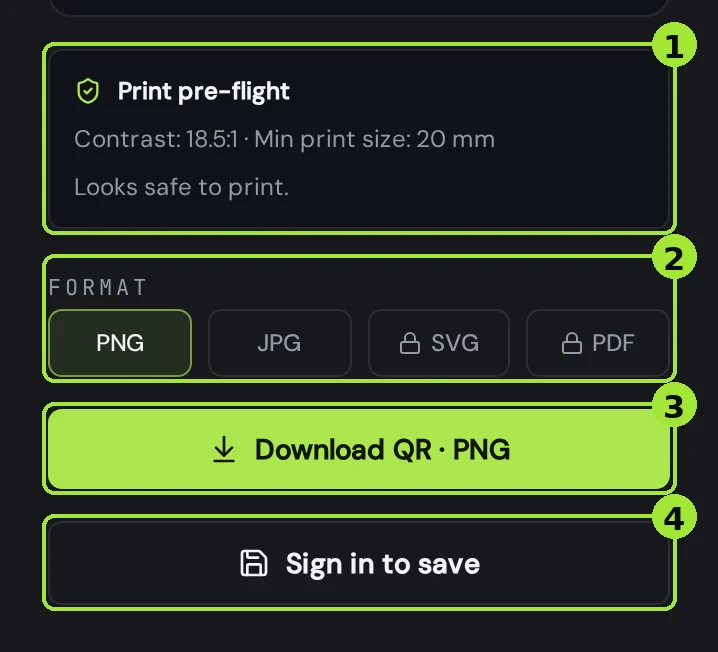
In the editor, pick PDF as the download format and then pick the print size — 20, 30, 40 or 50 mm. The file comes out as a vector page at exactly that width, with a 4 mm quiet zone already built in, so the print shop can place it without rescaling anything. SVG and PDF are available on Pro and Business; the free plan exports PNG and JPG.
Proof it before the print run
- Print one page on the real stock, at the real size — not scaled to fit.
- Scan it with an old phone, not your newest one.
- Scan it from the real distance, in the real light: a dim restaurant, a sunlit window, a night-time street.
- Scan it at an angle, roughly 30 degrees off, the way people actually hold a phone.
- If it is a dynamic code, confirm the destination opens on mobile data, not only on your office Wi-Fi.
Domande frequenti
- What is the minimum size for a printed QR code?
- 10 mm by 10 mm is the practical floor on paper, and only for a short payload scanned from about 10 cm. For anything read further away, use one tenth of the reading distance: 30 mm at 30 cm, 100 mm at 1 m, 300 mm at 3 m.
- How small can a QR code be on a business card?
- 15 mm is a safe width on a card, because people hold it 10 to 20 cm from the camera. Keep the payload short — a dynamic link or a vCard with only the fields you need — and leave 2 mm of empty margin around the code.
- What resolution or DPI does a printed QR code need?
- DPI stops mattering if you print vector. Export PDF or SVG and the code is resolution independent at any size. If you must use PNG, generate it at 300 DPI for the final physical width — a 30 mm code needs about 350 pixels.
- How much white space does a QR code need around it?
- Four modules on every side, which is roughly 3 to 4 mm on a 30 mm code. Our PDF export already includes a 4 mm quiet zone, so you can place the file directly in the layout.
- Does a bigger QR code scan faster?
- Up to a point, yes: a larger code focuses faster and tolerates movement, glare and worn print better. Beyond roughly one fifth of the reading distance the gain disappears, and the phone may need to step back to fit the whole code in frame.
Prossimi passi
- QR codes on product packaging and labelsPackaging is printed once, in huge runs, on curved and shiny surfaces. Here is how to size, place and future-proof the code before the press runs.
- QR codes on vehicles and outdoor signsThe outdoor rules: real sizes by reading distance, the parked-vehicle truth, weatherproofing, and what to print next to the code so people can still reach you.
- Your QR code will not scan: the checklistWork down this list in order — the first three causes account for most failures we see.
Guide approfondite
- QR code error correction and minimum print sizeHow much damage a QR code can survive is a number you choose at generation time, and it directly decides the smallest size you can safely print it.
- How to print QR codes: size, format and best practicesPrinting a QR code is not just about dropping a PNG into a layout. Format, size, contrast and material all decide whether the code scans reliably.
- How to fix a blurry QR code, step by stepFour checks fix almost every blurry QR code: find where the blur came from, re-export at the right DPI, verify size and contrast, then re-test the print.